


Install a T-Style Radio to Ford F-150 (2015-2022)

Thread Starter
Junior Member
Joined: Feb 2025
Posts: 3
From: CA, USA
 Install a T-Style Radio to Ford F-150 (2015-2022)

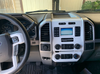
Ford F150 factory radio

Linkswell XL 15.6" Tesla style head unit
--------------------------------------------------------------------------------------------------------------------------------------------------------------------------
Tools and Materials
- Linkswell XL T-Style Radio kit
- Trim removal tools
- Screwdrivers (Phillips and flathead)
- Socket wrench set
- Electrical tape
- Wire connectors (if needed)
- Cable ties
- Park the vehicle on a flat surface and engage the parking brake.
- Disconnect the negative terminal of the battery to prevent electrical shorts.
- Gather all tools and the radio kit within easy reach.
1, Remove the Trim Panel:
Use a trim removal tool to carefully pry off the trim panel around the factory radio and climate controls. Be gentle to avoid damaging the clips.
2, Detach Electrical Connectors:
Disconnect the wiring harnesses and connectors behind the trim panel. Label these if necessary to ensure correct reconnection later.
3, Unbolt the Radio:
Use the appropriate socket wrench to remove the bolts securing the factory radio. Slide the radio out and unplug the wiring harness and antenna cable.
Step 3: Install the Linkswell XL T-Style Radio
1, Prepare the New Unit:
Attach the mounting brackets included in the Linkswell kit to the new radio unit. Verify that the wiring harness provided matches the factory connections.
2, Connect Wiring Harness:
Plug the factory wiring harness and antenna cable into the corresponding connectors on the Linkswell XL Tesla screen radio. Use the provided harness adapter to ensure compatibility with your F-150’s electrical system.
3, Secure the Radio:
Slide the Linkswell radio into the dashboard and secure it using the bolts removed earlier. Ensure it fits snugly and aligns with the dashboard trim.
Step 4: Reassemble and Test
1, Reconnect Trim Panel:
Reattach the dashboard trim panel, ensuring all clips snap securely into place.
2, Reconnect the Battery:
Reconnect the negative terminal of the battery and tighten it securely.
3, Power On the Unit:
Turn on the vehicle and power up the Linkswell radio. Test all functions, including Bluetooth, GPS, climate controls, Carplay, and backup camera integration, to confirm proper installation.
4, Tidy Up:
Use cable ties to organize and secure any excess wiring behind the dashboard. Ensure no wires are pinched or obstructing other components.
Step 5: Final Adjustments
- Refer to the Linkswell user manual for system settings and calibration.
- Update firmware if necessary to ensure optimal performance.
- Familiarize yourself with the interface and features of the new unit.
- Take photos of the wiring connections during disassembly to reference during reassembly.
- If unsure about wiring connections, consult a professional installer or refer to the vehicle’s wiring diagram.
- Double-check all connections before powering on the unit.

Thread
Thread Starter
Forum
Replies
Last Post

Currently Active Users Viewing This Thread: 1 (0 members and 1 guests)